Docs › Tutorials
Tutorials
Each tutorial builds a complete case from an empty screen. The same steps are built into the app as guided exercises, which tick off each step and check your answers.
The tutorials
First steps
Throttling natural gasFeed stream and a valve: gas cools as it expands.
Flashing a cold feedTwo phases and a separator; vapour fraction.
Heating a streamA heater, its energy stream and the duty.
Oil and gas starter cases
Three-phase separatorSplit a wellstream into gas, oil and produced water.
Stage separationStabilise oil through HP, MP and LP separators and a stock tank.
Two-stage gas compressionCompress associated gas from 30 to 600 psia with coolers and scrubbers.
Propane refrigeration loopBuild a refrigeration cycle and work out its COP.
Crude oil pipelinePump crude into a 30 km line and find the arrival pressure.
JT dew point controlTake NGL out of rich gas with a gas/gas exchanger, JT valve and cold separator.
Tools
A good routine for each case
- Look at the finished case. On the Start page, open it under Oil & gas starter cases. Walk the PFD and open the key streams.
- Build it yourself. Start the matching exercise under Oil & gas exercises (or Exercises for the first steps), and follow the tutorial alongside.
- Answer the questions. The exercise asks you to read results; it checks your answer against your own case.
- Change something. Try another pressure or temperature and predict what happens before the solver answers.
The tutorials use Field units (°F, psia, lbmole/hr). Check that the unit set button in the top bar reads Field, or type values in those units with the keypad's unit row.
How guided exercises work
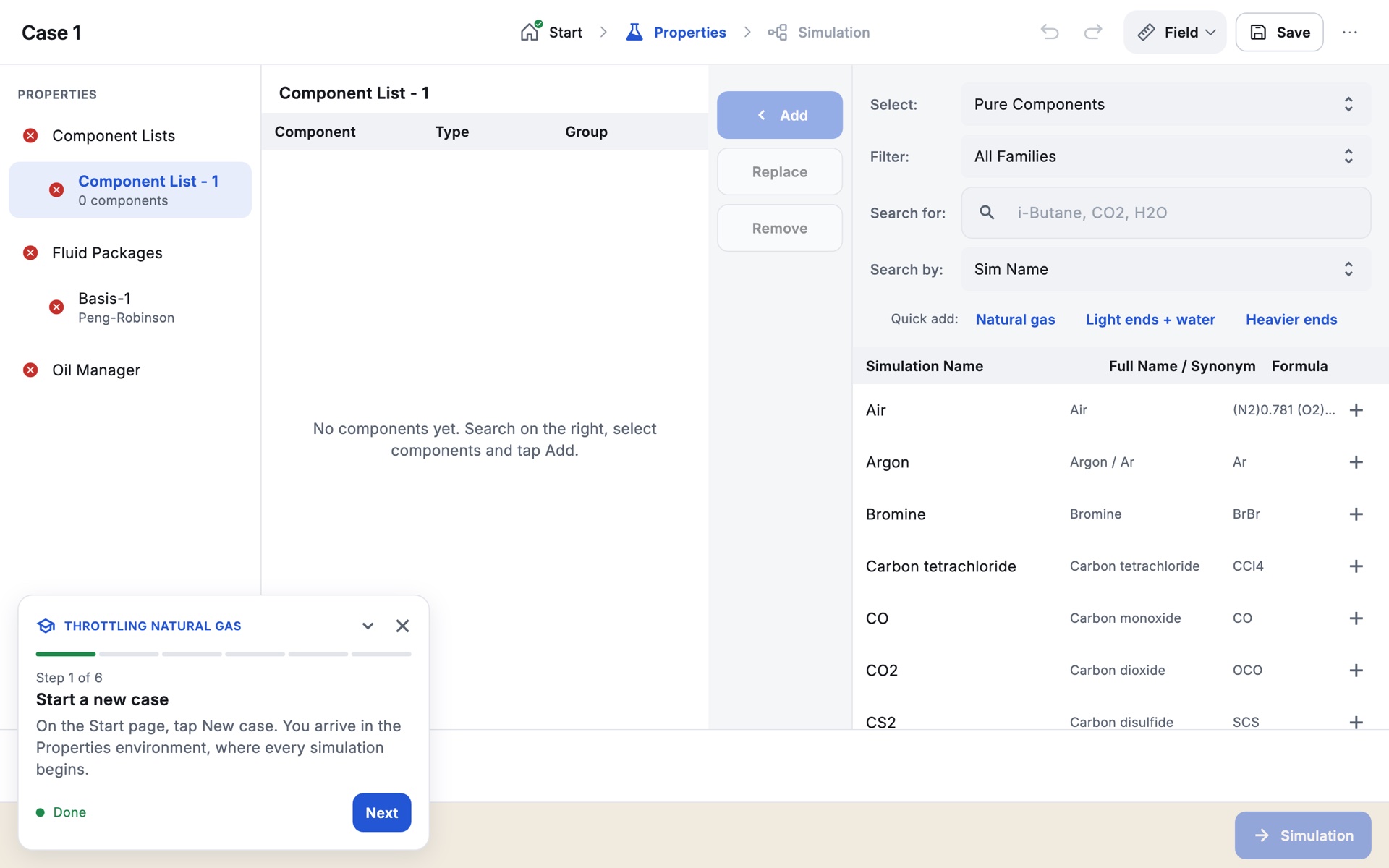
- Tap an exercise card on the Start page. A panel floats over the app and stays with you in every environment.
- Each step has a title and an instruction; some have Show hint. A progress bar shows one segment per step.
- Action steps tick themselves when your case does what the step asks, and the status reads Done. Then tap Next.
- Question steps ask for a value. Tap the answer field and type it with the keypad, in any unit. If it matches your case, the status reads Correct; otherwise Not quite. Check the value and its unit, then try again.
- Use Back to revisit a step. The ⌄ button minimises the panel to a small pill; × leaves the exercise and keeps your progress, so the card later offers to continue.
Because answers are checked against your own case, small differences in what you typed carry through. The expected results listed in each tutorial are what Zalosim gives when the inputs are entered exactly as written.
For instructors
- Instructor mode. ⋯ › About › Instructor mode. Set a 4 to 8 digit PIN once per device with Set up PIN; afterwards use Unlock. While unlocked, the exercise panel shows each answer and a Load solution button, and the ⋯ menu offers Workbook with answers (PDF). The device always restarts in student mode.
- Paper. ⋯ › Exercise workbook (PDF) prints one page per exercise for notes and homework.
- Between classes. With instructor mode unlocked, Reset student work deletes every saved case, PDF report and the autosave on the device, and clears exercise progress. It cannot be undone.
- The PIN keeps casual users out; it is not a security lock.